Included in every current Abby plan.
Your receptionist, your rules.
Just ask Abby.
Abby Studio lets you change how your AI and live receptionists handle calls just by asking Abby to do what you want. Review it, publish it, done.
No support ticket. No waiting.
Just ask Abby.
Changing how your calls are handled used to mean calling us, explaining what you need, and waiting. Now you type one sentence and it’s done the same day, on your own time.
How It Works
Let Abby know what you need.
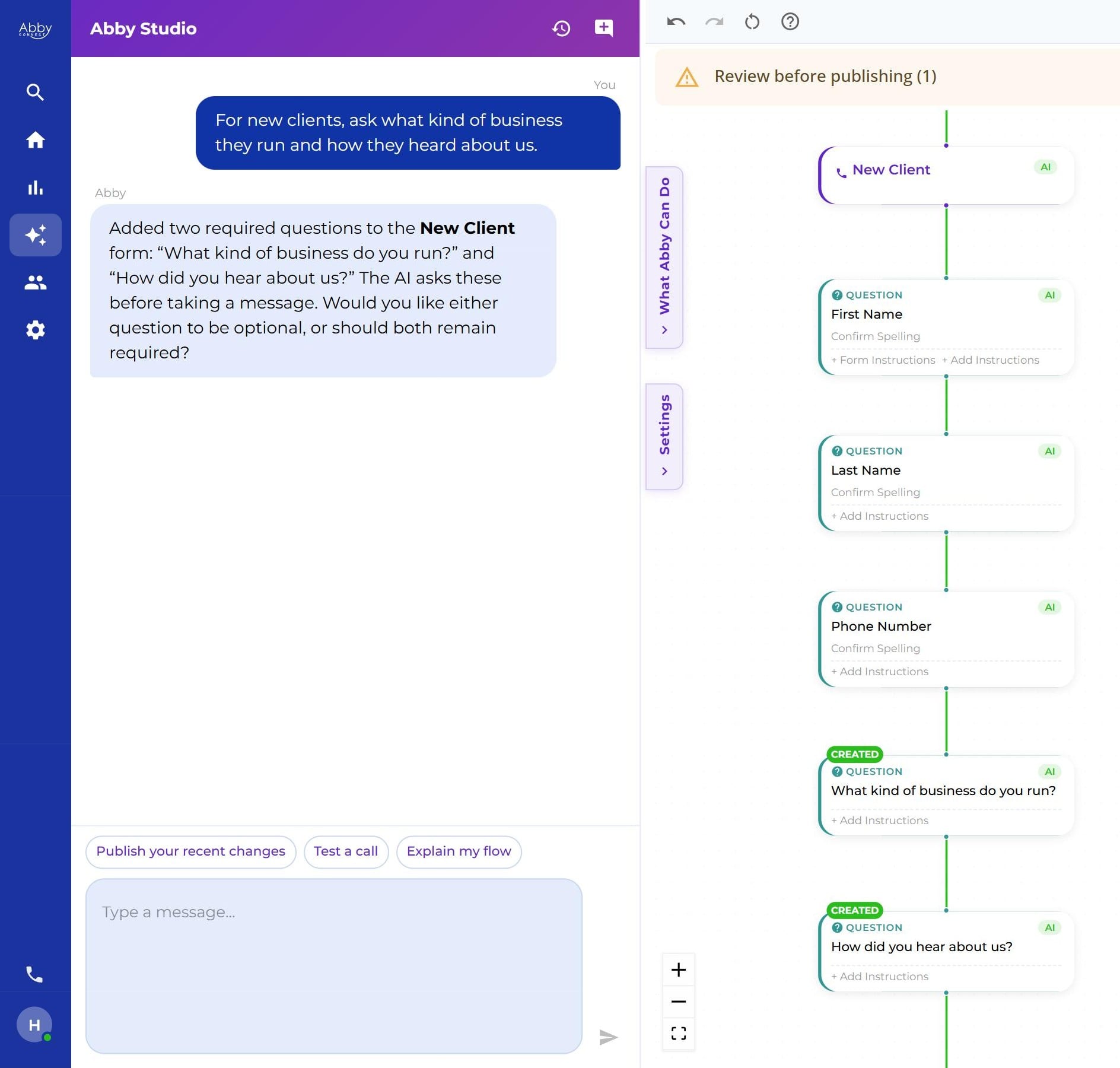
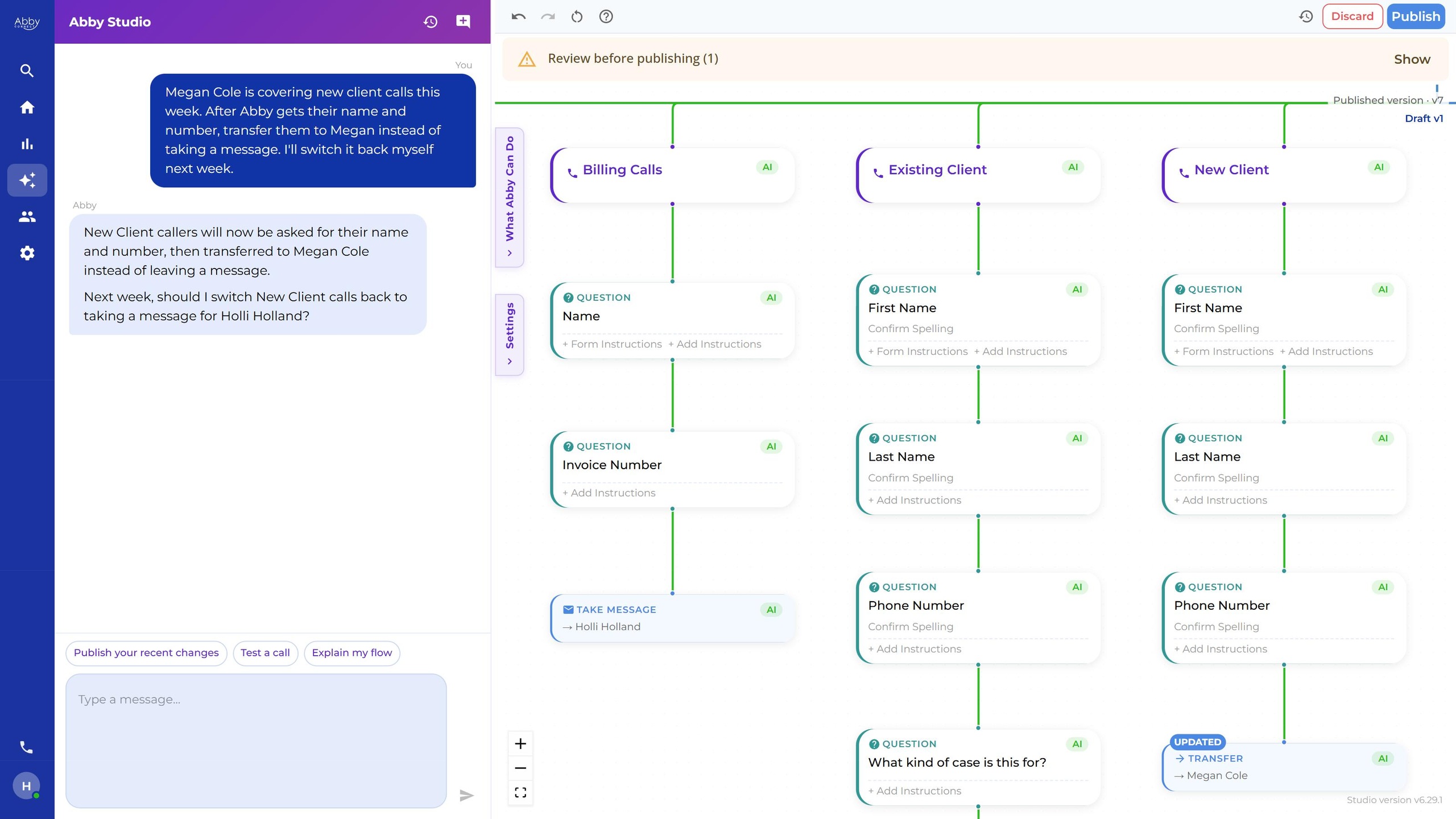
Type it the way you’d say it, like “Ask new clients how they heard about us.” Abby asks if she needs more detail.
Review the change.
Abby builds it as a draft, so you can see exactly where it lands in your call flow. Want to hear it first? Use Test a call.
Publish when you’re ready.
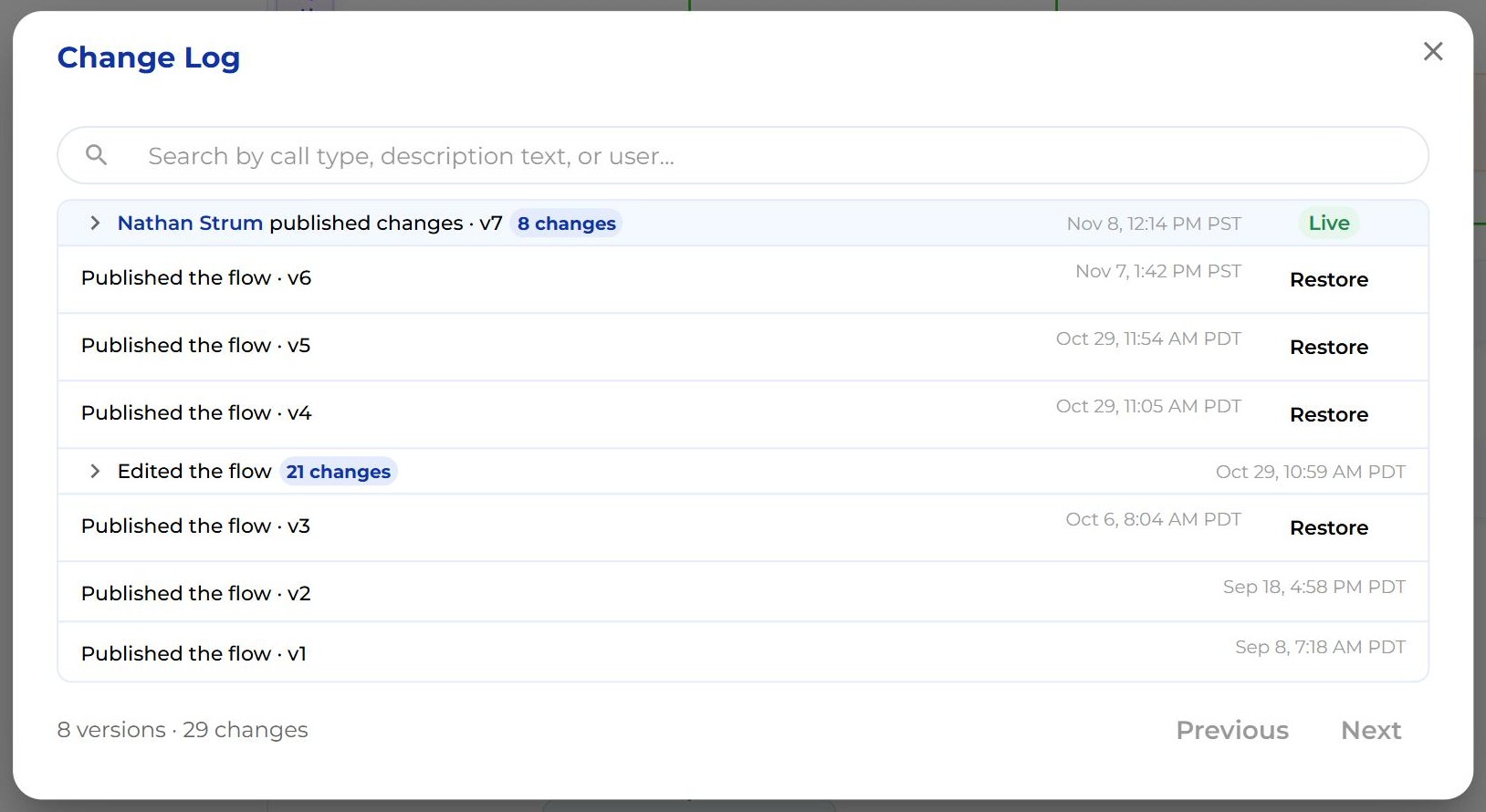
Nothing changes for callers until you click Publish. Every version is saved, so you can always go back.
Watch the full walkthrough.
Just ask Abby.
You type a change the way you’d say it. No settings, no support ticket, no waiting, and nothing technical to learn.
Your business changes. Now your receptionist keeps up.
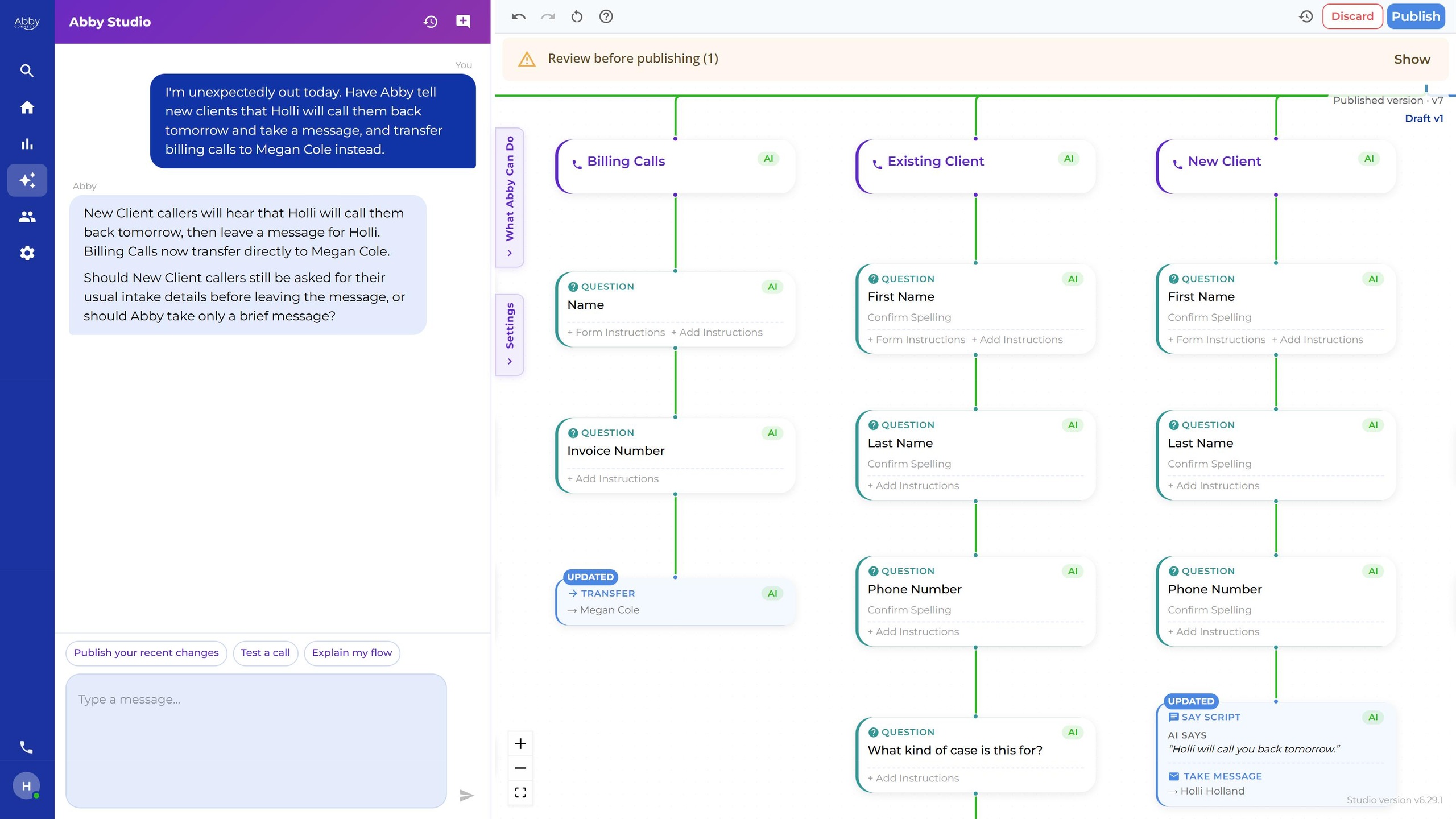
New service, new staff, someone out sick, a new policy: your calls catch up the same day. Out sick? Ask Abby to take messages today. Back tomorrow? Change it back.
AI when you want it. A real person when you need one.
See every call path on one screen. Choose which calls the AI handles and which go to a live receptionist. One call flow runs both your AI and your live receptionists.

Nothing goes live until you hit publish.
Every published version is saved, and you can restore any of them in one click.
See how Abby Studio helps a business like yours.
Each video shows one everyday change, about a minute long.
Unexpectedly Out of Office
Someone’s out, so new callers leave a message and current clients reach a live receptionist.
Add a Caller Question
One new question, asked by both the AI and live receptionists.
Change Who's On Call
Urgent calls go to whoever is covering this weekend.
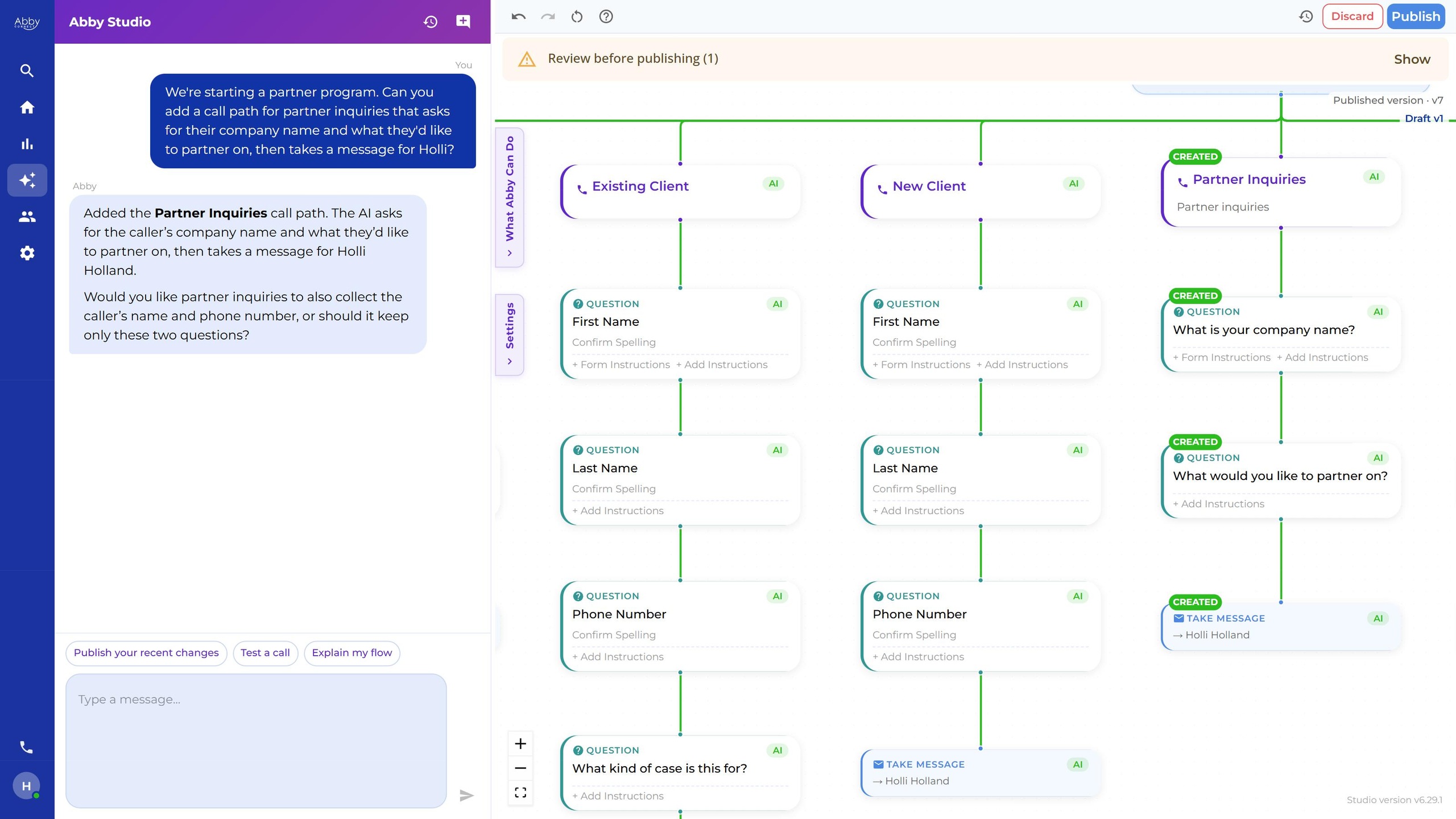
Add a New Call Path
A new service gets its own questions.
Update Your Receptionist's Script
A policy change both receptionists say the same way.
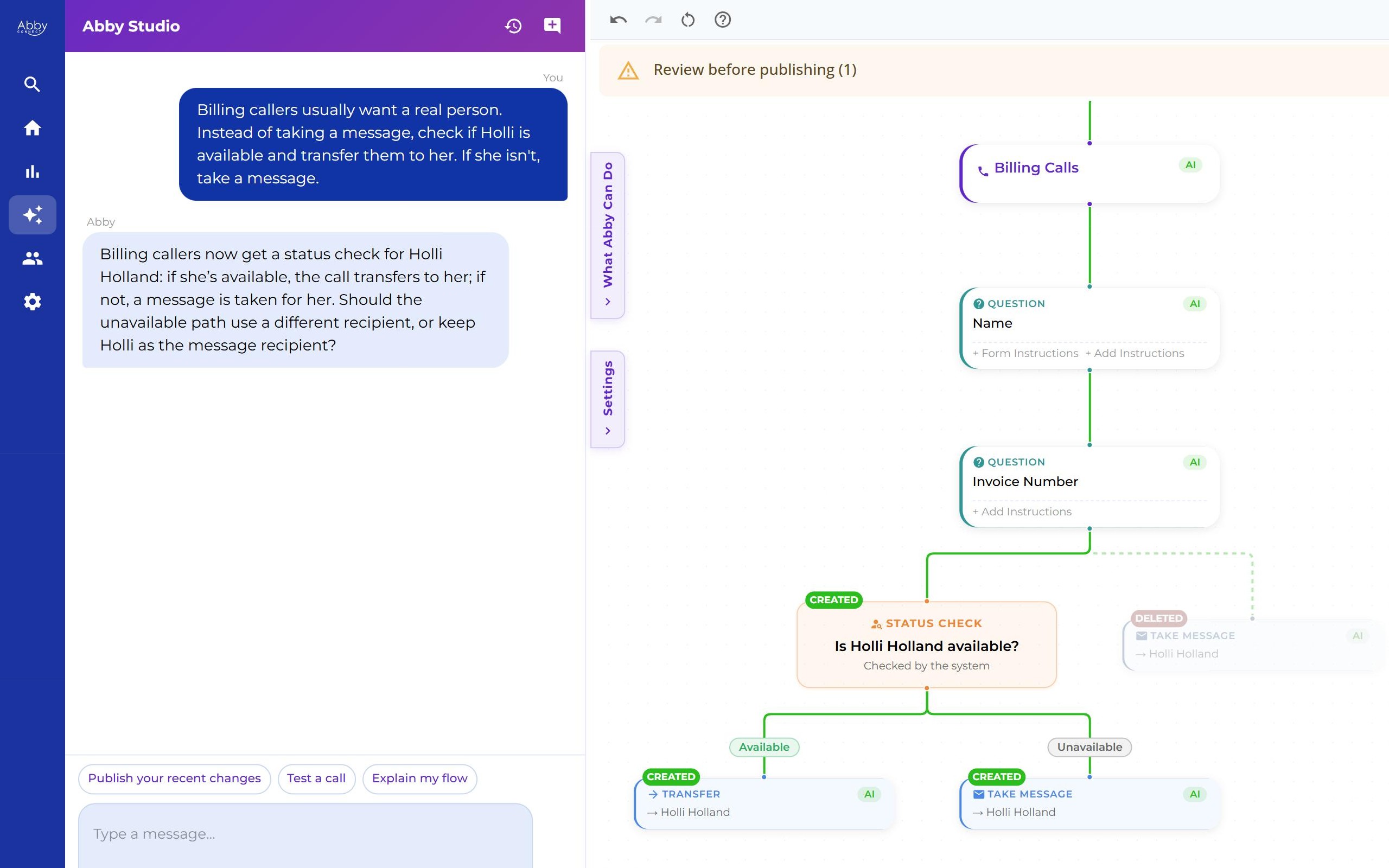
When a Caller Needs a Person
Billing calls go to a live receptionist; everything else stays with the AI.
Add Appointment Scheduling
The AI books on a connected Google Calendar.
Booking needs the AI Receptionist, a connected calendar and an appointment type.
Abby Studio: Frequently Asked Questions
I'm not technical.
You don’t need to be. You type it the way you’d say it, and Abby asks if she needs more detail.
What if I break something?
Nothing changes for callers until you click Publish. Every version is saved, and you can restore any of them.
Can't I just call you to change it?
Absolutely, and our team is still here. Studio is for when you want it done now, yourself, any time.
Will my live receptionists follow it?
Yes. One call flow drives both the AI and the live, human receptionists, and you choose which handles each type of call.
Can I test a change first?
Yes. The Test a call option lets you hear how a call will go before you publish.
Do changes take effect right away?
Yes, on new calls as soon as you publish. Calls already in progress finish the old way.
Who on my team can use it?
Anyone on the account except users with Limited permission.
Can it book appointments?
Yes, with the AI Receptionist and a connected calendar. Abby can add booking to a call path in one sentence.
What does Studio cost?
Studio is included in every current Abby plan. It isn’t sold separately.